

Mach Xtreme Unveils MX-ES Series USB 3.0 Flash Drive With SLC NAND
Mach Xtreme Technology Inc., a worldwide leader in top performance, high reliability and user-friendly designed PC components, today unveiled ES Series USB 3.0 SLC flash drives. The MX-ES is the most compact extreme performance SLC USB 3.0 flash drive on the market and will be available in worldwide retail and e-tail starting Thursday, September 20th.
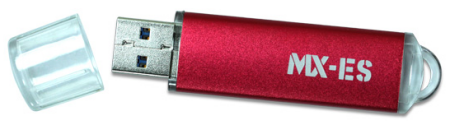
The MX-ES USB 3.0 Series utilizes top quality Single Level Cell (SLC) NAND to offer extreme performance and longer endurance over Multi-Level Cell (MLC) NAND, which is typically used in other USB 3.0 pendrives. Changing the NAND components from MLC to SLC significantly increases the performance and longevity of MX-ES flash drive. These USB 3.0 flash pendrives are much more durable and reliable and are built to endure severe operating environments such as extreme cold and hot temperatures, continuous vibration, high shock impact, intensive read-write cycles etc. Such features are essential to users that require a more robust and rugged digital storage option to ensure repeatable and reliable operation. With powerful SLC flash and proven design; the MX-ES Series drastically outperforms standard MLC-based pendrives.
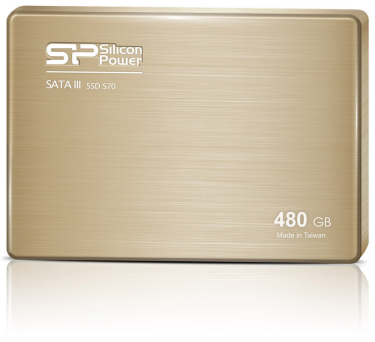
 Today, CDRLabs brings you a review of Plextor's new 256GB M5 Pro Series SSD, the PX-256M5P. Powered by Plextor's True Speed technology, this 7mm thick SSD uses high quality components like Marvell's new 88SS9187 controller chip and Toshiba's 19nm Toggle NAND flash to deliver up to 540MB/s read and 450MB/s write speeds as well as a maximum of 86,000 4KB random write IOPS. The M5 Pro also features an enterprise-grade double-data protection system to protect the integrity and confidentiality of your data. This system includes 256-bit AES encryption as well as Plextor's new True Protect technology, which ensures that data is stored and retrieved without error.
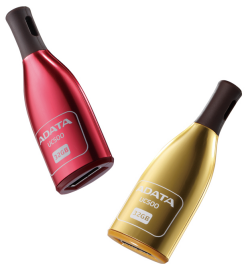 ADATA Technology Co., Ltd. today announces the launch of the DashDrive Choice UC500 USB flash drive. This latest USB 2.0 interface entry offers a distinctive design as well as striking colors, once again, demonstrating ADATA’s determination and ability in bringing style and flair to the realm of digital storage.

