

With the release of Surveillance Station 8.1 this past fall, Synology introduced a new feature called Home Mode. Using Home Mode, users can customize recording, notification, stream profile, and action rule settings depending on whether they are at home or away. For instance, cameras can be configured to record continuously and not send notifications when you are at home, but once you are away they will record videos by motion detection and send notifications.

Changing system settings is quick and easy with Home Mode. Instead of having to go through and change these settings manually every time you enter or leave an area, the modes can be switched on a schedule or with the click of a button.
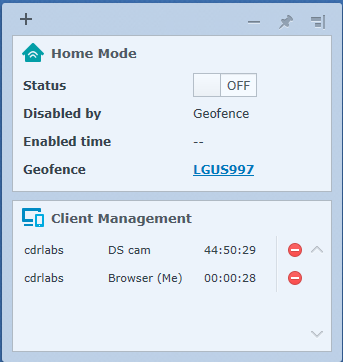

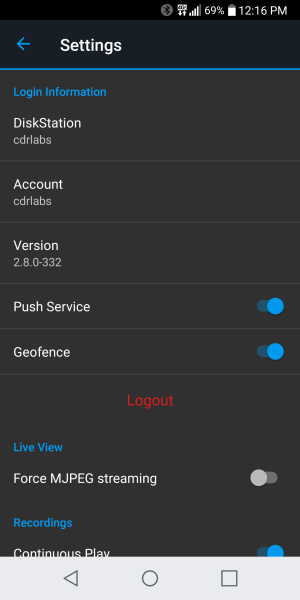
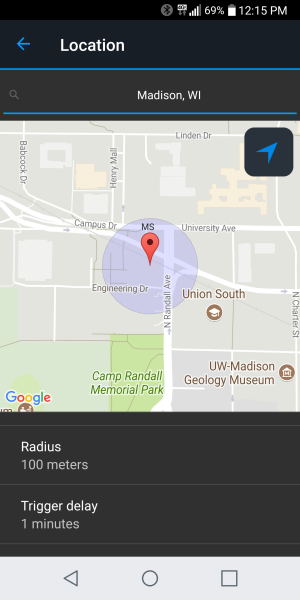
If you're someone who doesn't work on a set schedule, Home Mode can also be switched on by geofence location via the DS cam app. For example, you can set a circular region around your home with a diameter of 30 meters for the geofence region. When you and your phone enter this region, the system will automatically enter Home Mode.

Configuring geofence is pretty straightforward and is done primarily through the DS cam app. In addition to providing a location, you will need to select a radius and trigger delay. If GPS isn't an option, it can also be configured to trigger Home Mode when the device is connected to a specific Wi-Fi network.
 |
 |


